
Damp you can
see.
Damp you can
prove.
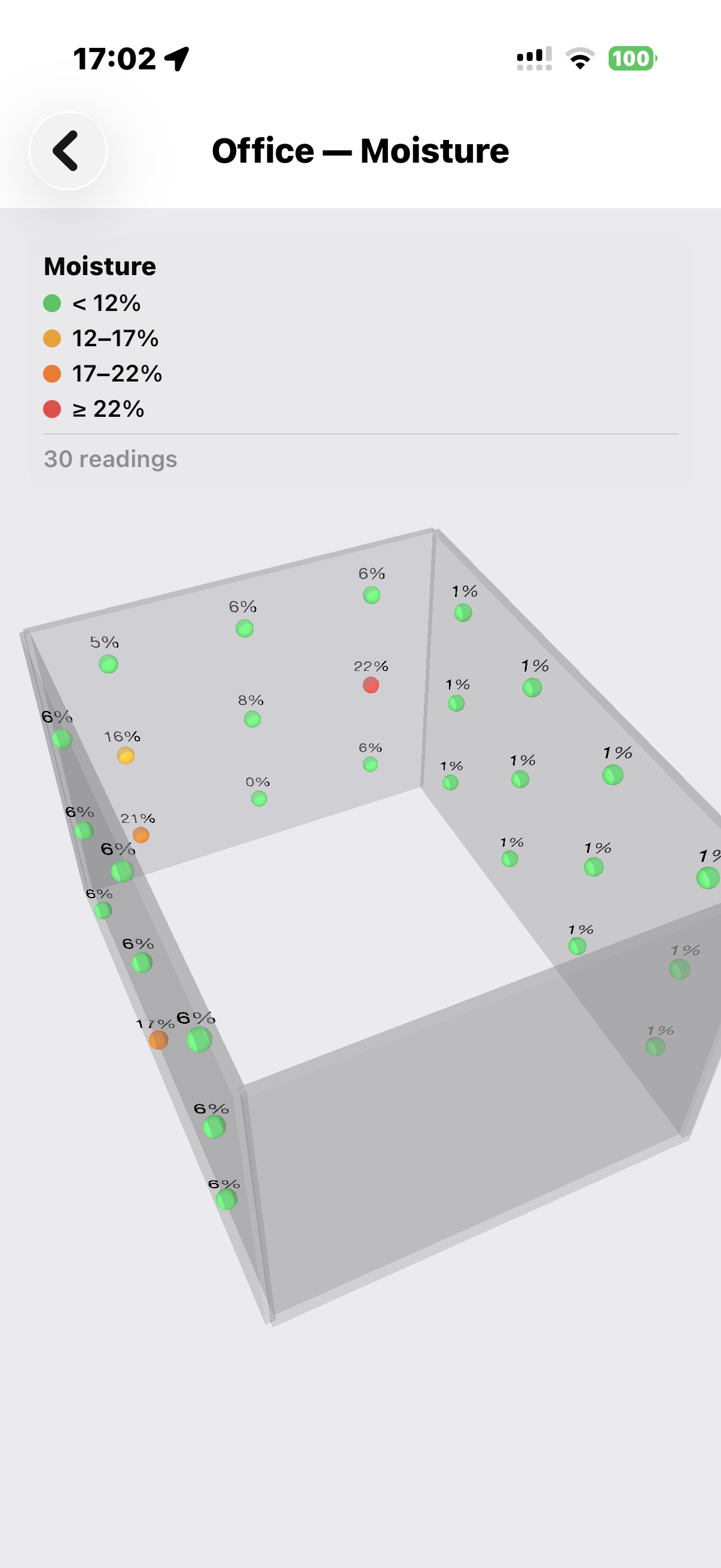
Damp is the thing photos hide best — and the costliest surprise in a Portuguese property, especially in stone-built or pre-1970 homes through a wet winter. Every wall gets measured on a grid with a calibrated meter, not judged by eye. You get a colour-coded 3D heat map anchored to your rooms, and a diagnosis — rising damp, penetrating damp, or condensation — by pattern, not by guesswork.
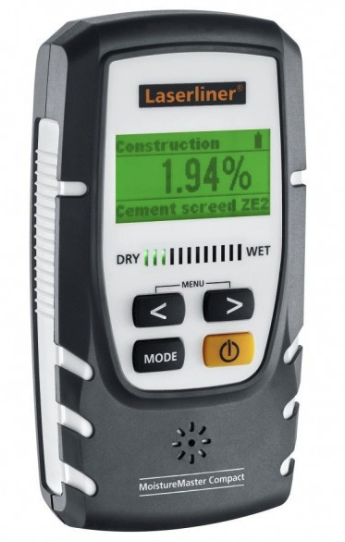
Laserliner MoistureMaster Compact Plus
A calibrated, non-destructive meter — no drill holes, no probes damaging your walls. Every reading is timestamped and locked to its exact position on a grid swept across the wall, not a single spot chosen by eye.
- ✓Non-destructive — no drill holes, no probes
- ✓Reads up to 4 cm deep — finds damp hidden behind plaster
- ✓Ambient temperature and humidity logged with every reading
- ✓No calibration drift — a reading today matches a rescan in 6 months
- ✓Every reading is recorded against your property, not just shown on a screen
- ✓Three measurement modes matched automatically to the material — construction, screed, index
One scale per surface
A reading means something different depending on what's under it. 4% on plaster is alarming; 4% on softwood is bone-dry. We judge each surface on its own scale — a screed is never judged like plaster.
| Material | Meter mode | Dry | Moist | Wet |
|---|---|---|---|---|
| Plaster (lime / gypsum) | Material | < 1.0 | 1.0–2.0 | ≥ 2.0 |
| Cement screed (unheated) | Material 1 | < 1.8 | 1.8–2.5 | ≥ 2.5 |
| Cement screed (heated) | Material 1 | < 1.5 | 1.5–2.0 | ≥ 2.0 |
| Anhydrite screed (unheated) | Material 2 | < 0.5 | 0.5–0.8 | ≥ 0.8 |
| Anhydrite screed (heated) | Material 2 | < 0.3 | 0.3–0.5 | ≥ 0.5 |
| Magnesium screed | Material 3 | < 3.0 | 3.0–6.0 | ≥ 6.0 |
| Softwood (pine, spruce, fir) | Wood group A | < 12 | 12–18 | ≥ 18 |
| Hardwood (oak, beech, ash) | Wood group B | < 11 | 11–16 | ≥ 16 |
| Tropical hardwood | Wood group C | < 10 | 10–15 | ≥ 15 |
| Brick / masonry (indicative) | Index | < 40 | 40–80 | ≥ 80 |
| Concrete (indicative) | Index | < 40 | 40–80 | ≥ 80 |
Thresholds derived from Laserliner MoistureMaster Compact Plus specification. Cement and anhydrite screed values are %CMC (mass percent). Wood values are percent moisture content. Brick/concrete indices are dimensionless relative scale.
Every wall. Every corner.
Measured — not eyeballed.
No spot-checks. Every wall in the room is swept on a grid, and every reading keeps its exact position — so a damp patch behind a wardrobe gets found, not missed.
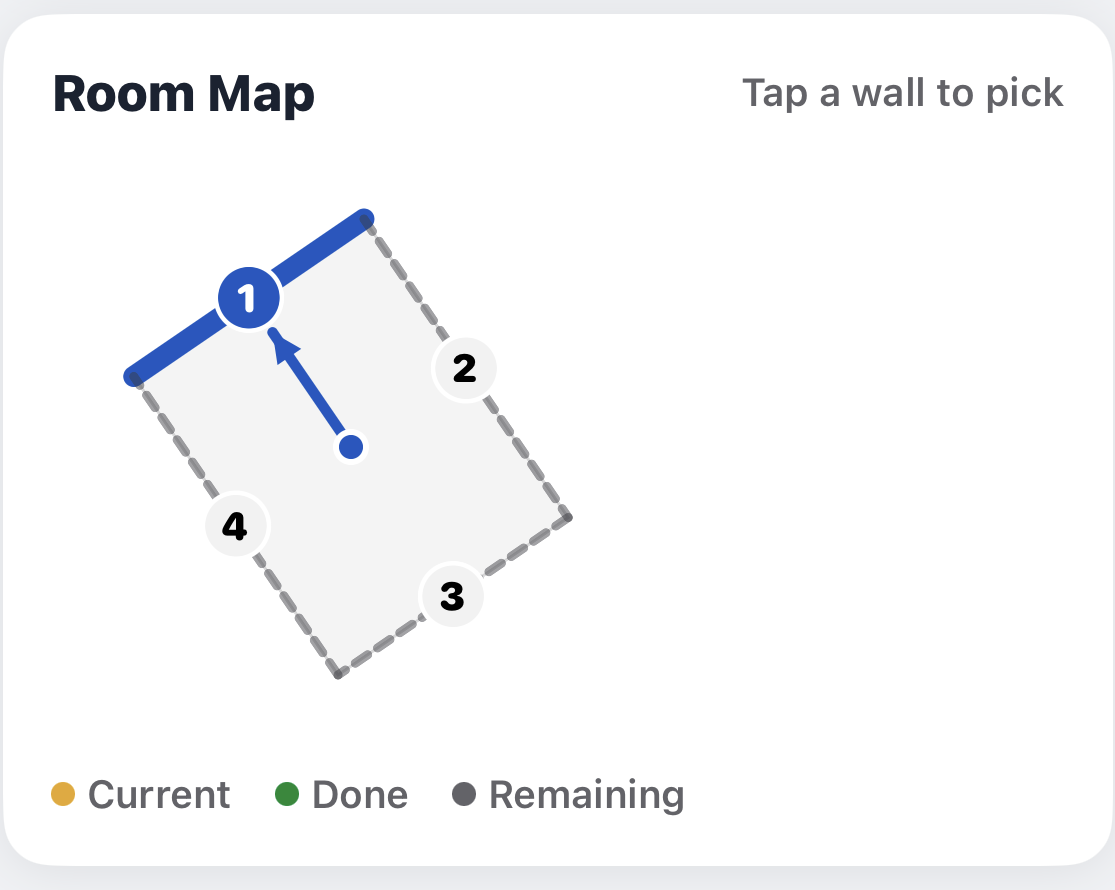
We measure every wall in the room — not just the ones that look damp. A patch behind furniture or under a window doesn’t get missed.
Each wall is swept on a grid whose density matches its size — as fine as 5×8 points on a large wall.
Every reading keeps its exact 3D position, timestamp, source, and material — so it can be checked, or measured again, later.
Readings paint a colour-coded heat map directly onto the 3D model of your property. Hotspots ≥22% are unmistakable.
The shape of the readings across a wall — bottom band, isolated patch, upper corners — points to rising damp, penetrating damp, or condensation.
The heat map, the readings, and the diagnosis go into your inspection report — with a before/after comparison if you rescan later.
Three shapes of damp.
Three different fixes.
Not every wet reading means the same thing. The shape of moisture across a wall tells you where it came from — and therefore how to stop it.
Get damp
on the record.
A signed, timestamped moisture report anchored to your property in 3D — evidence you can negotiate with, plan a repair against, or use to walk away. Comparable again if you rescan later.